Forms and workflows, configured, not coded
QForms puts a complete operational process in the hands of administrators. Build the application, design the approval pipeline, generate the documents and send the notifications, every piece configured through a visual interface without writing a line of code.
- Application designer
- Approval workflows
- Documents and certificates
- Live location tracking
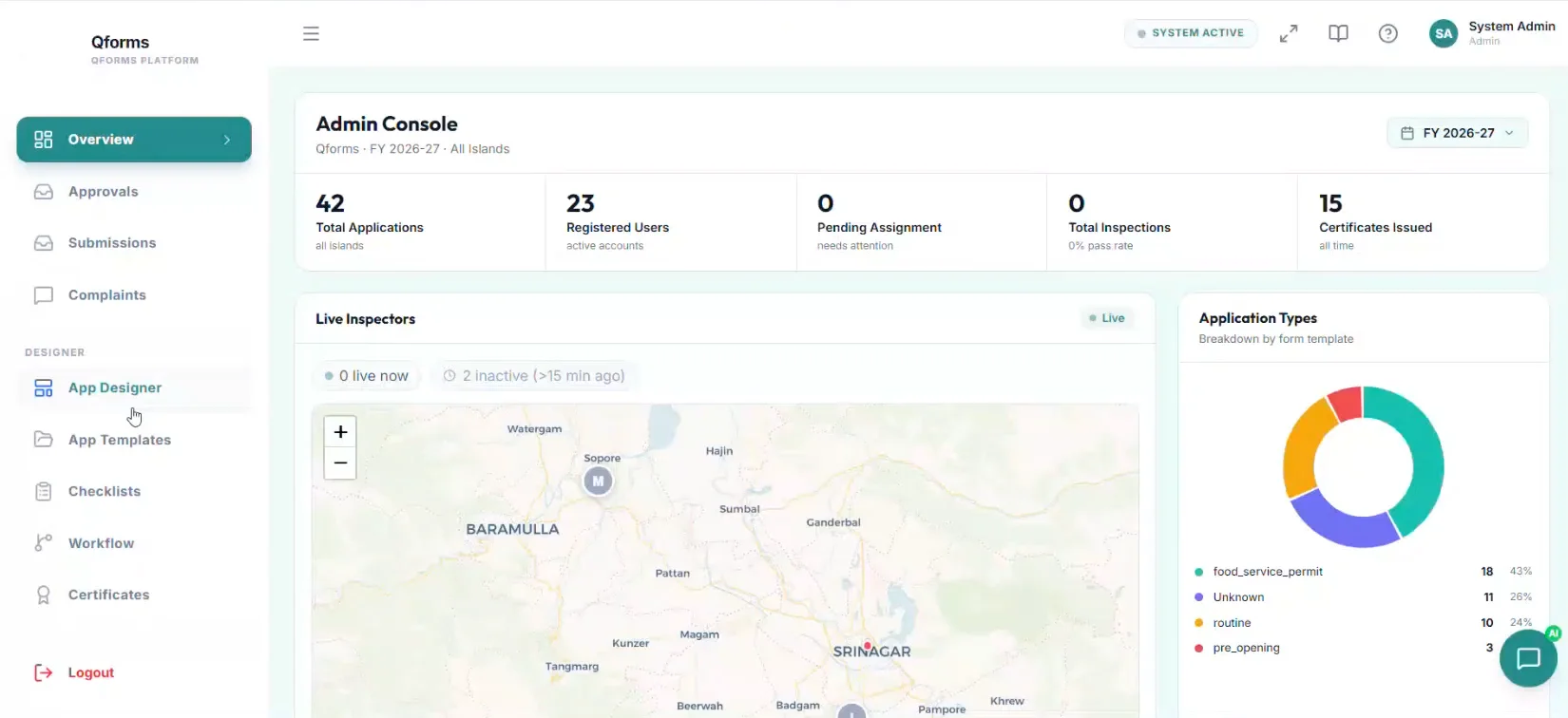
Nine modules, one platform wired around your form. A workflow reaching its final stage is also the certificate generating, the email going out and the dashboard updating. Nobody re-enters anything.
Collect
The application, built by the people who run it
A visual builder for the form, a rules engine that reshapes it as answers come in, and checklists for the work that happens on site.
Application designer
A drag-and-drop builder: unlimited sections and fields, conditional logic, validation and layout control, all configured by administrators without writing code.
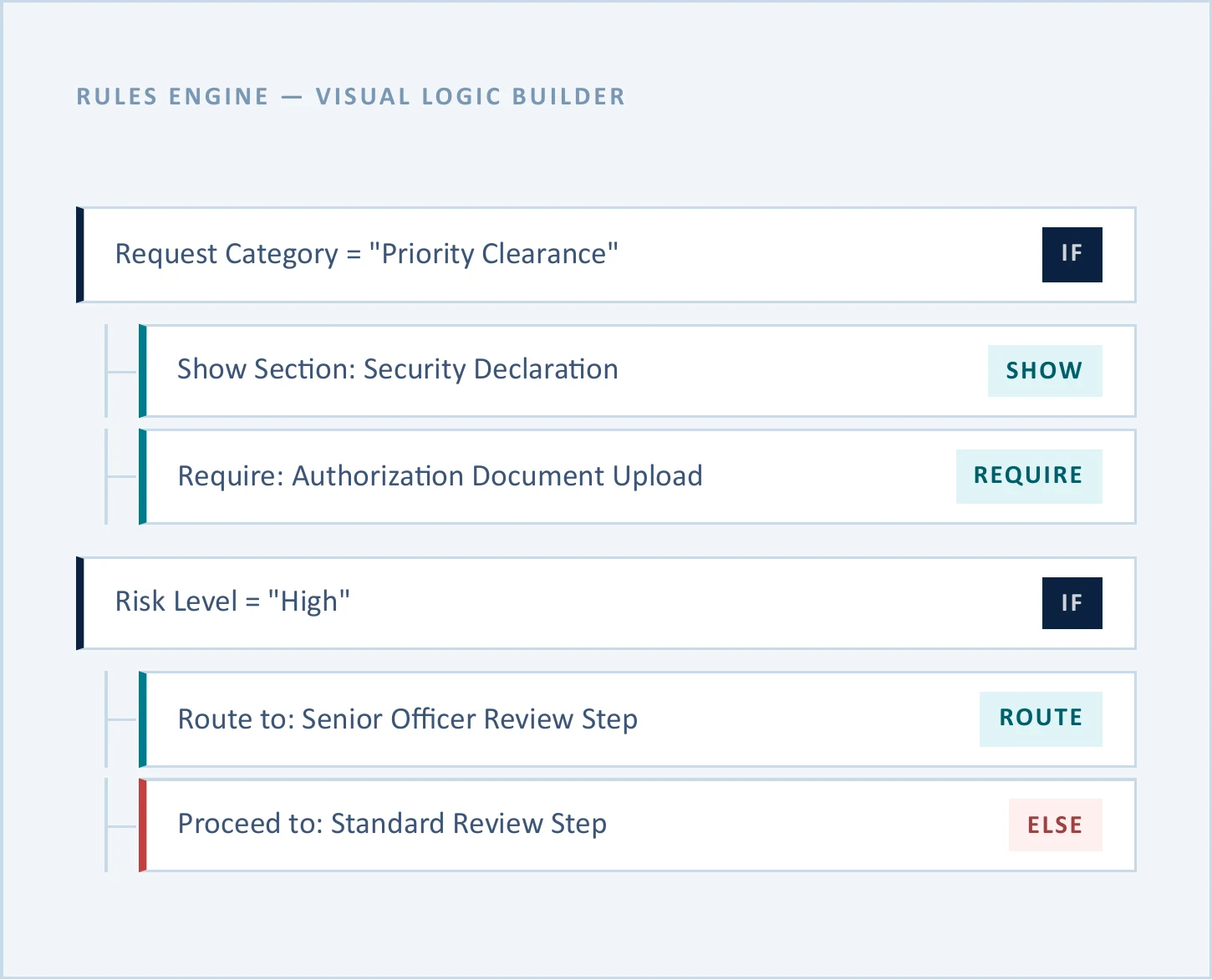
Smart rules engine
Dynamic logic on any field: show or hide sections, require or relax fields, auto-fill values and route submissions. Conditions can read text, numbers, selections, scores and computed values, and a single rule can show a section, require a document and reroute the submission at once. Applied identically in preview and in live applications.
Checklist engine
Operational checklists with pass or fail items, task responses, single-choice selections or weighted rubric scores. Values aggregate automatically against the completion thresholds you set.
Route
Approval pipelines as state machines
Every step has explicit transition rules and every role gets its own queue. What an administrator draws on the canvas is enforced at the API level, not just in the interface.
Workflow engine
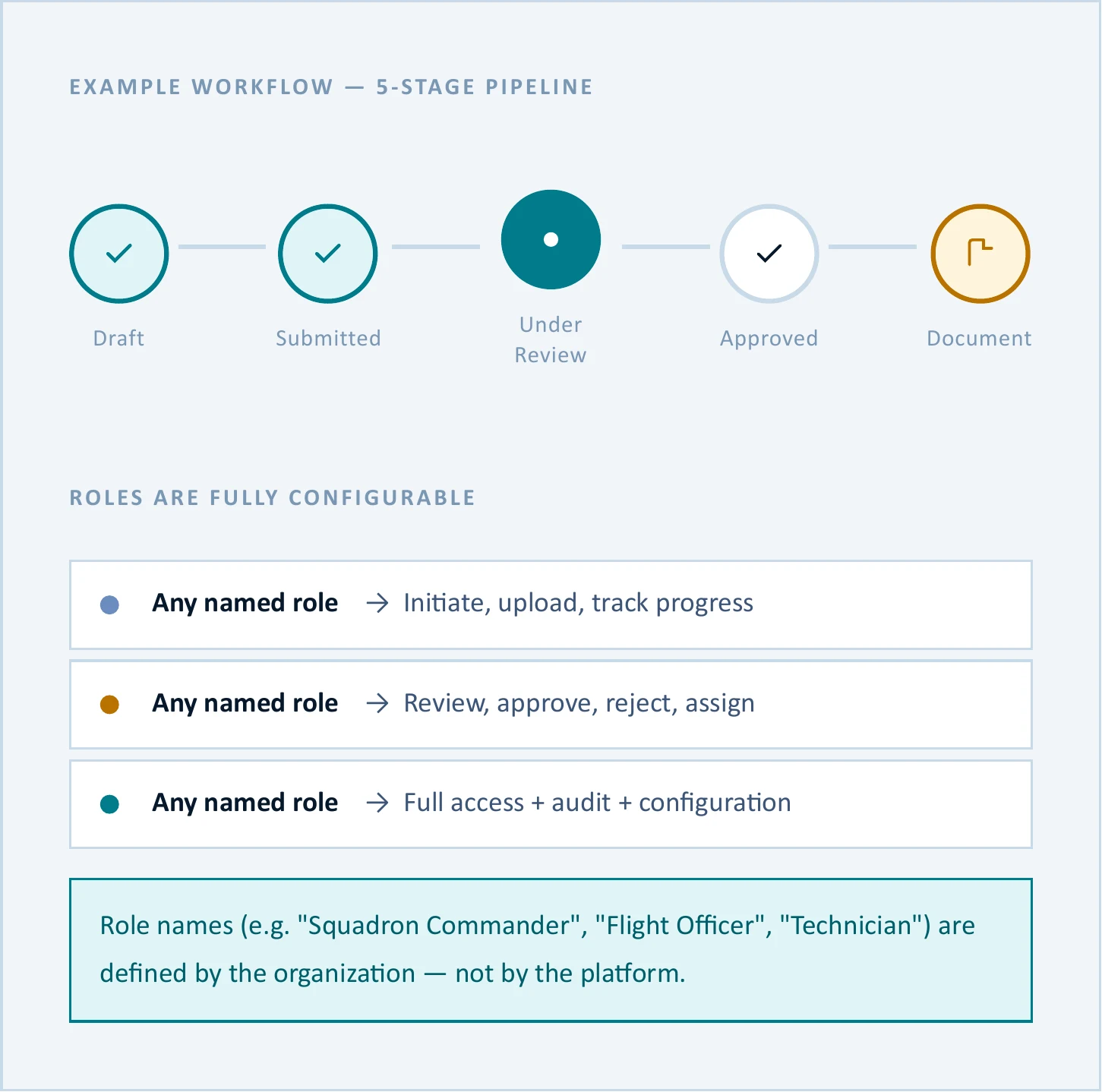
Design multi-step approval pipelines on a visual canvas: assign any role to any step, define transitions, attach notifications and specify where documents are generated.
Dynamic role-based access
Define any number of roles from more than thirty granular permissions: hide screens, hide tabs, restrict actions. Roles are named by your organization, not by the platform, and there are no hardcoded tiers.
Email automation
Branded email templates attached to any workflow state, sent automatically when a submission arrives, advances, is approved, or a document is issued.
Live location tracking
Real-time GPS tracking for field personnel: view routes and validate on-site presence, inside the same operational workflow.
Produce
Documents as a byproduct
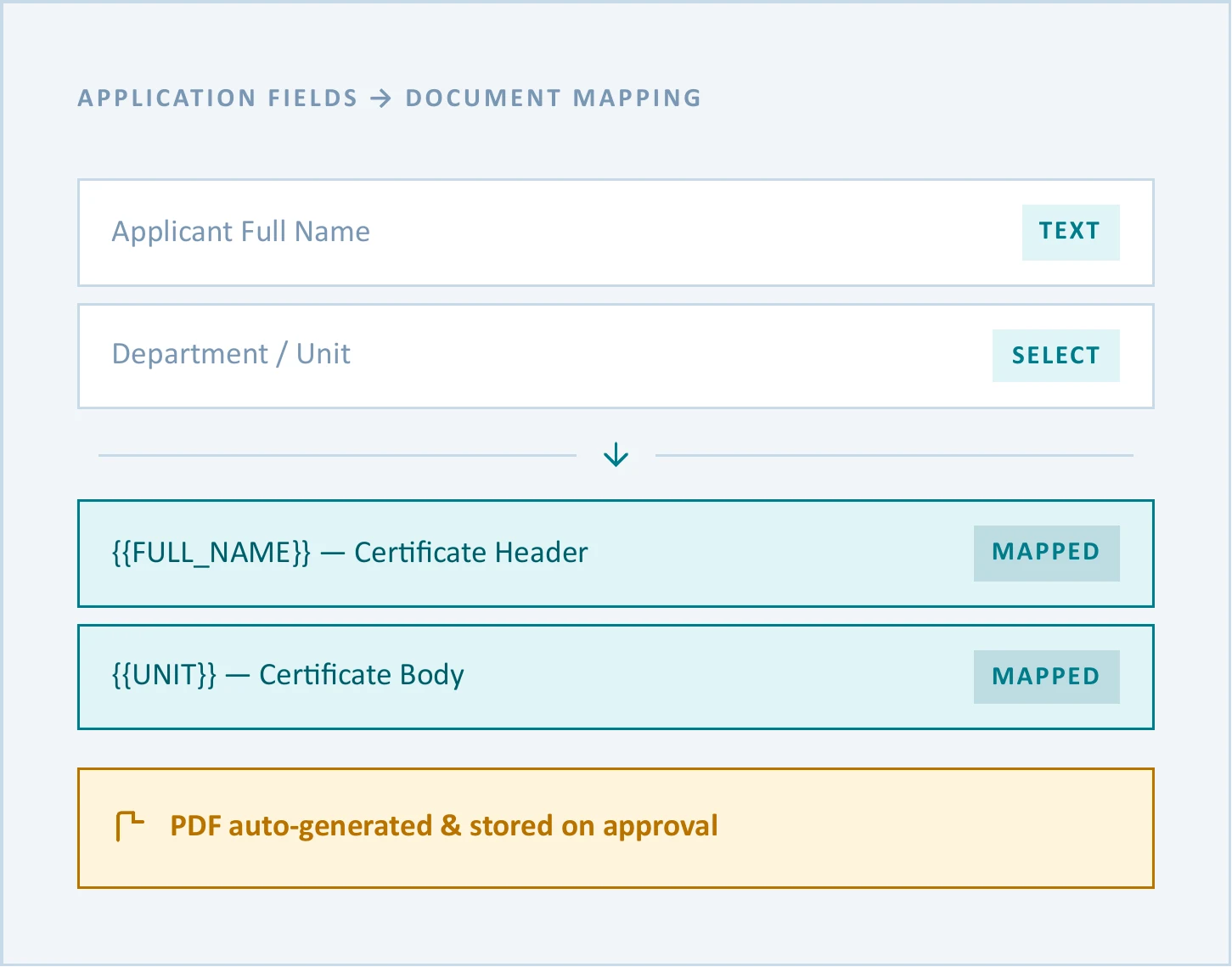
Certificates and documents merge live application data into templates you designed and arrive as finished PDFs the moment the workflow says they should.
Documents and certificates
Design certificate and document templates, map application fields into them, and have the finished PDF generated, stored and attached to the record when a workflow reaches its designated stage.
Reporting and analytics
Dashboards covering submission trends, personnel performance, geographic heat maps and completion rates, with exportable PDF reports for leadership review.
Built for any operational domain
Because everything is configured rather than coded, QForms adapts to any sector where structured data collection, multi-level approval and traceable documentation are required.
Defense and military
Equipment maintenance requests, safety audits, clearance workflows and personnel certification, with role hierarchies matching command structure.
Government and public sector
License and permit issuance, citizen services, complaint workflows and certificates, fully auditable end to end.
Enterprise and corporate
HR onboarding, internal applications, audit management and compliance tracking at scale.
Healthcare and compliance
Patient intake, incident reporting, equipment certification workflows and clinical audit trails, with access controlled per department.